The Easiest Way to Place and Track Service Calls
Service Calls in 3 Simple Steps with JIT Connect
Step 1
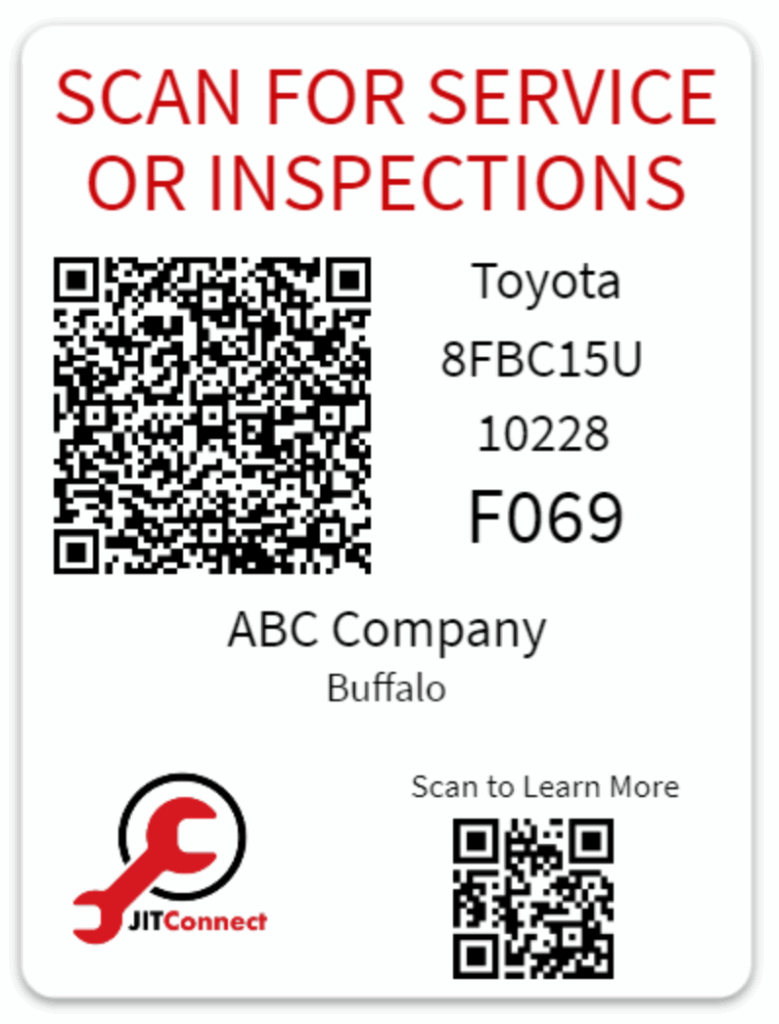
Scan the QR Code
Step 2
Snap Photos and Describe the Issue
Step 3
Hit Submit and You’re Done
Each piece of equipment has a unique, encrypted QR code decal that instantly identifies the unit.
Add a short description and a couple of photos, so dispatch and technicians understand the problem before arrival.
The request is sent directly to JIT dispatch. Total time: under one minute.
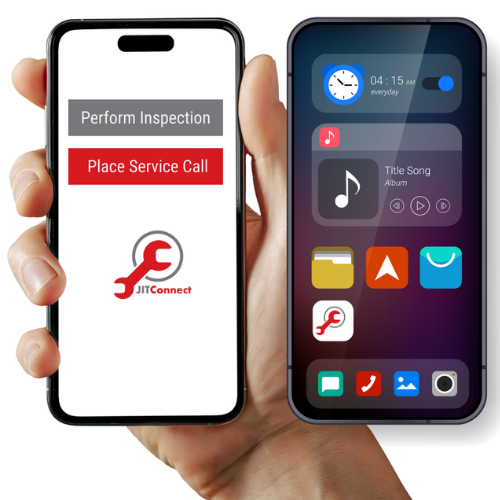
The jit connect service call

Clear Communications from start to finish
You’ll receive automatic text updates when:
- Your request is received
- A technician is assigned
- The technician arrives on site
- The technician leaves or parts are required
How do I start?
Set up is simple. Give us a list of your equipment and users. We’ll prepare the labels, train your team, and ensure that you have everything you need to launch JIT Connect Service Calls
Authorize your users
Provide a list of equipment
we'll apply labels and ready your staff
place service calls
Decide who will be authorized to place service calls and receive text updates.
Decide who will access the online portal.
Have users download the JIT Connect app.
Gather make, model, and serial number for all your equipment – Forklifts, floor cleaning equipment, aerial lifts, industrial batteries, dock doors, etc.
If you are an existing customer, can provide a list of equipment already in our system as a starting point.
Our team will show your staff how to log in and navigate the portal and the apps.
We will work with your team to get the decals placed on the equipment.
Start placing service calls and receiving text updates.
We will follow up with your team to ensure everything is working as expected.
Frequently Asked Questions (FAQ)
How does the Service Call App Work?
When a forklift or other piece of equipment needs repair, simply scan the QR code on the unit’s decal. The app will automatically load the equipment details (make, model, serial number). You can add a short description, snap a couple of photos, and submit. The request goes directly to our dispatch team.
How is this faster than calling or emailing?
With JIT Connect, placing a service request takes under a minute and is automatically sent to our dispatch system, including all necessary details. No searching for contact info, leaving voicemails, or waiting for email replies. The technician receives the job information more quickly and arrives better prepared.
What information is included with the service request?
The app automatically includes the equipment details, your photos of the issue, and the unit’s location (geo-tagged in the photo). This helps dispatchers and technicians quickly identify the problem and bring the right tools and parts.
How will I know the status of my request?
You’ll receive real-time text updates when your request is received, when a technician is assigned, the technician arrives on site, when the job is completed, or if parts are needed.
Supervisors can also view job status in the online dashboard
What happens if more work is needed?
If a technician finds additional issues or needs to order parts, you’ll be notified right away.
If a technician identifies additional issues or needs to order parts, you’ll be notified promptly.
Updates appear in the app and are sent via text, so you’re never left wondering about repair status.
Is there a service history available for me to access?
Yes. Every completed job is stored in the Service Call history. You can review past repairs by unit at any time, making it easier to track recurring issues or plan maintenance.
How does this help with invoicing?
Because the system tracks when service was requested, when work was completed, and by which technician, your accounting team has a clear record to verify service completion before approving invoices.
Can multiple people at my company place service calls?
Yes. We can set up access for as many authorized staff as you need. Supervisors and administrators can also be added to receive status updates and view active calls.
Is there a cost associated with using this new service?
No. JIT Connect – Service Call* is available to all customers at no additional cost.
If you would like access to an executive dashboard to track all your repairs, a monthly fee of $30.00 applies.
*We also offer JIT Connect – Inspections for Preshift Inspections, which is subscription-based but not required to place Service Calls.
What kinds of equipment can I request service for?
The app supports forklifts, aerial lifts, industrial batteries, chargers, dock doors, conveyors, racking, and more. Each unit gets its own unique QR decal, so requests are always tied to the correct equipment.
